Sunday, March 6, 2011

How To Transparent Your Desktop Screen
10:07 AM

You can't make your desktop wallpaper transparent, but you can make an image that makes it look like your whole computer screen is transparent and you can see whatever is behind it. This is easier to do if your computer is a laptop, though to get the right effect, you then have to leave the laptop in the same location all the time. It's a better long-term trick if you make this type of background for a desktop computer, and especially effective if one or more objects can be seen next to the computer screen and also extend behind it, such as a cord, a poster on the wall or an item on your desk.

First, you will need these things :
- Digital camera
- Tripod (optional)
- Image-editing software
1. Take a photo of your computer. If your computer is a laptop, take a picture of the laptop with the screen open. The computer should be positioned in a location where you most frequently use it. If you have a tripod, set it up to take both this photo and the one in the step below, without moving the camera in between shots.
2. Remove the computer monitor or close the laptop and take another photo of the exact same location. This photo should show the area behind where the monitor or screen was when you took the first photo. The camera should be in the exact same spot as it was when you took the first photo for best results.
3. Open both photos in your image-editing software.
4. Make a copy of the second photo, the photo that shows what is behind the computer monitor.
5. Select the first photo, the one that shows the computer screen. Name the existing layer "Screen Photo" by editing the default name in the Layer Properties palette. You may have to promote the background to a layer, depending on the software you are using, to rename the layer. Then paste the copy of the second photo in as a new layer. Name the new layer "Behind Screen."
6. Select the Behind Screen layer and lower the layer's opacity to approximately 50 percent. Do this in the Layer palette. You should be able to see the photo with the computer screen through the other layer, but the Behind Screen photo should still be visible as well.
7. Drag the Behind Screen layer so that items that are shown in both photos line up exactly. If you did a good job taking the photos, the two images should line up without the need to resize one of them. If not, scale one of the images or retake the photos, whichever is easier for you.
8. Select the Screen Photo layer. Using the rectangle selection tool, select the area just inside the screen's bevel, so that your marquee goes around the exact edge of the actual computer screen.
9. Select the Behind Screen layer, making sure to keep the selection in place. Set this layer's opacity back to 100 percent. Then select "Copy" from the "Edit" menu.
10. Open a new image and select "Paste." Or you may be able to select "Paste as New Image" from the "Edit" menu. The image you've pasted should be the area behind your computer screen, and nothing else.
11. Save the image as a JPG. Discard all changes made to the other images.
12. Alter your system settings to make the image you saved in step 11 your desktop wallpaper. Now when anyone looks at your computer, it will look as if the screen is transparent.
You may say it's impossible but everything is possible with creativity. Here are detailed instructions on how to do it. Transparent desktop screens mean the desktop of your laptop screen gives an impression of being transparent such that you can see all.
Saturday, February 12, 2011
Mempercepat Koneksi Internet dengan Setting DNS
1:07 AM
Tips berikut ini bisa dicoba untuk mempercepat koneksi internet dan mempercepat waktu loading halaman web dari browser kita, dengan cara mengubah setting DNS koneksi internet kita. Aku dapet info awalnya dari sebuah forum, dan setelah aku coba hasil speed test nya lumayan juga. Btw, selain speed sebenarnya mengubah setting DNS ini juga membuat koneksi internet lebih secure dan reliable….gitu katanya.
Cara mempercepat koneksi internet speedy dengan setting DNS Tutorial Mempercepat Koneksi Internet Speedy. Setting Modem Speedy server hosting tertentu) Namun dengan cara ini speedy dengan DNS bisa lebih cepat Mempercepat Koneksi Internet dengan Setting DNS. Terdapat beragam cara untuk mempercepat koneksi internet. Dalam artikel ini akan saya pasti lebih cepat lagi Tips Mempercepat Koneksi Internet Menggunakan DNS Alternatif Cara setting DNS pada windows. Mempercepat Akses Internet Menggunakan Mempercepat Koneksi Internet untuk Browsing Chating dan Download
Mempercepat koneksi internet dengan setting DNS [+] Newbie Sejati Hanya blog seorang newbie yang baru pengen belajar dan berbagi sedikit ilmu tentang tutorial blogging, hacking, yang saya ketahui. Ubah DNS Koneksi Anda dengan OpenDNS Selamat otak atik setting DNS dengan 2 IP dari openDNS di atas yah… semoga berhasil koneksi internet kartu Three, mempercepat koneksi speedy dengan dns
Ganti DNS Modem AHA Olive VME 110, Internet Gratis 50 hari Pemblokiran situs, akses internet lambat, banyak situs URL NOT FOUND. DNS dns buat smart , mempercepat koneksi internet dengan modem aha , merubah DNS aha Mantabz karena Setting DNS ini situs pemblokiran dibuka Cara Mempercepat Koneksi Internet Speedy Lemot - Belajar dan Berbagi Tutorial Mempercepat Koneksi Internet Speedy. Setting Modem Speedy DNS diatas memanfaatkan DNS Google. Selain meningkatkan koneksi. mempercepat koneksi internet dengan setting dns About mempercepat koneksi internet dengan setting dns bukan dari mana-mana
Berikut ini hasil speed test ketika pakai DNS default milik Indosat IM2 :

Dan ini hasil speed test setelah setting DNS aku ganti :

Lumayan ada peningkatan download speed dan upload speed-nya.
Buat yang belum tau apa itu DNS (Domain Name Server), mungkin penjelasan kasarnya sbb : tiap komputer yang konek ke internet punya identifikasi/alamat yang disebut nomor IP. Misal, IP-nya Google adalah 208.67.219.231. Nomor-nomor IP ini berupa deretan angka yang tentunya susah buat dihapal, contohnya, lebih gampang bagi kita buat menghapal bahwa kalo mau buka Google cukup ketik nama aliasnya yang www.google.com di browser daripada harus hapalin alamat aslinya yang 208.67.219.231 itu.
Lalu bagaimana prosesnya tahu nama alias xxx itu mengarah ke alamat IP yang mana?
Untuk menterjemahkan nama alias menjadi alamat IP yang dituju itulah gunanya server DNS. DNS ini berisi database yang menyimpan data nomor-nomor IP beserta asosiasi nama aliasnya. Jadi kita cukup melakukan setting untuk mengarahkan koneksi internet kita ke server DNS. Lalu kalau kita mengetikan nama alias www.google.com di browser, maka DNS server yang akan mencari nomor IP yang dimaksud.
Kalau DNS servernya telmi (telat mikir), ya browser kita pasti ikutan bolot juga.
Setting DNS bisa dilihat dari menu Start – Control Panel – Network Connection, lalu pilih koneksi internet kita dan buka properties-nya. Pilih Tab “Networking”, pilih internet protocol (tcp/ip) lalu klik tombol Properties.

Atau kalau koneksi internet pake aplikasi dari modem bisa di set dari dalam aplikasi modemnya itu. Kalau aku pakai aplikasi dari modem 3G bawaan Indosat M2, settingnya ada di menu Setting – Network Settings, seperti di bawah ini. 

Ok. Langsung saja kita coba ganti DNS nya. Kalau defaultnya DNS punya Indosat M2 biasanya ke nomor IP 202.155.0.10 untuk prefered dan 202.155.0.15 untuk alternate DNS. Dari pada nyolong-pinjam DNS orang lain yang mungkin suatu saat diblok, kita akan ganti pakai Open DNS (DNS public yang legal buat dipakai bebas) yang berikut ini :
- Preferred DNS server: 208.67.222.222
- Alternate DNS server: 208.67.220.220
Dan sebenarnya kalau cuma pengen sekedar pakai OpenDNS bisa tanpa daftar dulu dan gratis. Tapi kalau memang mau pakai fitur selengkapnya disarankan daftar juga di www.OpenDNS.com gratis. Sebab seperti dinyatakan di halaman buat create account di www.OpenDNS.com : “You could use OpenDNS without an account, but it’d be like having a Porsche stuck in first gear.” Pilihan ada di Anda sendiri.

Silahkan di coba. Untuk cara setting DNS di komputer bisa juga lihat di sini.
Gimana? Apakah ada kemajuan speed, selain lebih secure?
Tambahan buat yang coba-coba, bisa dicoba pakai Google DNS:
Primary: 8.8.8.8
Secondary: 8.8.4.4
Cara Ganti DNS Modem AHA Olive VME 110, Internet Gratis 50 hari
12:52 AM
Ganti DNS Modem AHA Olive VME 110, Internet Gratis 50 hari Banyak kejadian yang kulami selama pemakaian modem AHA Olive VME 110 dengan internet gratis 50 harinya. Salah satu kejadian yaitu adanya Pemblokiran situs-situs Porno di Indonesia. Karena banyaknya situs berbau porno dan sara yang di blokir, pasti dalam pelaksanaanya tidak berjalan dengan mulus. Banyak kesulitan akses situs situs yang tidak berbau porno dan sara. Akses internet terasa semakin lambat dan banyak situs yang menampilkan URL NOT FOUND karena banyaknya pemfilteran di DNS provider yang bersangkutan.
Salah satu solusi untuk mengatasi masalah tersebut adalah dengan mengganti DNS Provider dengan DNS alternatif lain. Macam-macam DNS alternatif dapat anda lihat DI SINI.
Untuk penggantian DNS alternatif pada modem AHA olive VME 110, sebaiknya kita membuat profil baru supaya nantinya lebih mudah switch kembali ke DNS AHA.
Cara penggantian DNS AHA dengan DNS alternative
Secara default, pada saat penginstallan modem AHA Olive VME 110 akan terbentuk profil AHA. Untuk menambah DNS alternatif sebaiknya buat profil baru.

Profil baru yang kunamai AHA DNS sudah terbuat dengan memakai DNS alternative, Google DNS (8.8.8.8) dan OpenDNS (208.67.222.222). Simpan profil baru tersebut dan tutup.

Sekarang, kita bisa memilih profil default atau profil yang kita buat tadi sesuai keinginan kita tanpa melalukan perubahan settingan lagi. Tinggal pilih dan koneksikan.

Sumber : http://ariefew.com
dns aha , aha dns , ganti dns aha , setting dns aha , mempercepat modem aha , setting aha , mengganti dns aha , cara mempercepat modem aha , settingan aha , setting internet aha , ganti dns , download aha , cara ganti dns aha , mempercepat internet aha , DNS untuk AHA , modem aha olive , setting aha esia , setting aha internet , dns esia , setting modem aha , dns modem aha , dns aha esia , cara mengganti dns aha , mengubah DNS aha , mempercepat koneksi aha , mempercepat koneksi internet aha , modem olive vme 110 , olive vme 110 , ubah dns aha , mempercepat aha , spec modem aha , mengganti dns modem , macam dns server modem AHA , koneksi internet aha , koneksi aha lambat , mengubah dns aha esia , mempercepat aha modem , mempercepat browsing , mengatasi permasalahan AHA , mempercepat download aha , mengatasi modem aha , mempercepat internetan aha , mengatasi modem AHA lemot , dns buat smart , mempercepat koneksi internet dengan modem aha , merubah DNS aha , merubah dns pada aha , setting evdo aha , setting manual aha , update open dns yang baru
Daftar DNS Alternative List Tercepat
12:50 AM
DNS Alternative yang Cepat
Daftar DNS Alternative List Tercepat bisa Anda miliki dengan segera. dns tercepat , pipopi ?? , DNS Smart , dns untuk game online , daftar DNS tercepat , dns lintasarta , dns alternative , dns telkomsel tercepat , dns yang cocok untuk im2 , arti alternate DNS server , percepat koneksi three open dns , dns yang tercepat , telkomsel flash trik , koneksi internet im2 , link dns alternatif data net , stting DNS smart , lintasarta dns , smart dns server , list dns tercepat , memilih server smart , smart dns , setting dns telkomsel-mobile ap , pipopi ???? , msn DNS tercepat , nomer DNS , mempercepat internet telkom flash , nyit nyi cheat pb , menghack dns untuk game online , dns yang cocok untuk game online , dns untuk smart , daftar dns tercepat untuk warnet game online , daftar dns tercepat telkomsel flash , daftar DNS tercepat buat telkom flash , daftar dns tercepat 2010 , apa itu IP dns , daftar dns hsdpa , cara mempercepat laju modem CDMA , arternative DNS server , dns for game , dns indonesia , dns untuk game online indonesia , dns tercepat telkomsel , dns tercepat se indonesia , dns telkomsel list , dns server tercepat , dns server smart , dns point blank , dns indosat lintasarta , aplikasi pencarian dns blackberry
Daftar DNS Server Indonesia :
Indosat
- 202.155.0.10
- 202.155.0.15
- 202.155.0.20
- 202.155.0.25
- 202.155.46.66
- 202.155.46.77
- 202.155.30.227
Telkom
- 202.134.2.5
- 203.130.196.5
- 202.134.0.155
- 202.134.1.10
- 202.134.0.62
- 202.159.32.2
- 202.159.33.2
- 202.155.30.227
AWARI (Asosiasi Warnet Indonesia)
- 203.142.83.200
- 203.34.118.10 (primary)
- 203.34.118.12 (secondary)
Sat.net.id
- 202.149.82.25
- 202.149.82.29
cbn.net.id
- 202.158.40.1
- 202.158.20.1
- 202.158.3.7 (primary)
- 202.158.3.6 (secondary)
indo.net.id
- 202.159.32.2
- 202.159.33.2
itb.ac.id
- 202.249.24.65
- 167.205.23.1
- 167.205.22.123
- 167.205.30.114
ukdw.ac.id
- 222.124.22.18
Lintas Artha
- 202.152.0.2 (primary)
- 202.152.5.36 (secondary)
Singnet
- 165.21.83.88
Nawala
- 180.131.144.144
- 180.131.145.145
Daftar DNS Luar indonesia :
ScrubIt
- 67.138.54.100
- 207.225.209.66
DNSadvantage
- 156.154.70.1
- 156.154.71.1
vnsc-pri.sys.gtei.net
- 4.2.2.1
- 4.2.2.2
- 4.2.2.3
- 4.2.2.4
- 4.2.2.5
- 4.2.2.6
Verizon (Reston, VA, US)
- 151.197.0.38
- 151.197.0.39
- 151.202.0.84
- 151.202.0.85
- 151.202.0.85
- 151.203.0.84
- 151.203.0.85
- 199.45.32.37
- 199.45.32.38
- 199.45.32.40
- 199.45.32.43
GTE (Irving, TX, US)
- 192.76.85.133
- 206.124.64.1
One Connect IP (Albuquerque, NM, US)
- 67.138.54.100
OpenDNS (San Francisco, CA, US)
- 208.67.222.222
- 208.67.220.220
Exetel (Sydney, AU)
- 220.233.167.31
VRx Network Services (New York, NY, US)
- 199.166.31.3
SpeakEasy (Seattle, WA, US)
- 66.93.87.2
- 216.231.41.2
- 216.254.95.2
- 64.81.45.2
- 64.81.111.2
- 64.81.127.2
- 64.81.79.2
- 64.81.159.2
- 66.92.64.2
- 66.92.224.2
- 66.92.159.2
- 64.81.79.2
- 64.81.159.2
- 64.81.127.2
- 64.81.45.2
- 216.27.175.2
Sprintlink (Overland Park, KS, US)
- 199.2.252.10
- 204.97.212.10
- 204.117.214.10
Cisco (San Jose, CA, US)
- 64.102.255.44
- 128.107.241.185
Google DNS
- 8.8.8.8 (Primary)
- 8.8.4.4 (Secondary)
DNS (Domain Name System) adalah sebuah sistem yang menyimpan informasi tentang nama host maupun nama domain dalam bentuk basis data tersebar (distributed database) di dalam jaringan komputer, misalkan: Internet. DNS menyediakan alamat IP untuk setiap nama host dan mendata setiap mail exchange server yang menerima email untuk setiap domain.
DNS menyediakan servis yang cukup penting untuk Internet. Komputer dan jaringan bekerja dengan alamat IP untuk mengerjakan tugas pengalamatan dan penjaluran (routing), tapi manusia lebih memilih untuk menggunakan nama host dan nama domain, contohnya adalah penunjukan sumber universal (URL) dan alamat e-mail. DNS menghubungkan kebutuhan ini.
Ketika sebuah aplikasi (misalkan web broswer), hendak mencari alamat IP dari sebuah nama domain, aplikasi tersebut tidak harus mengikuti seluruh langkah yang disebutkan dalam teori diatas. Kita akan melihat dulu konsep caching, lalu mengertikan operasi DNS di “dunia nyata”.
Sebuah contoh mungkin dapat memperjelas proses ini. Andaikan ada aplikasi yang memerlukan pencarian alamat IP dari ariefew.com. Aplikasi tersebut bertanya ke DNS recursor lokal.
- Sebelum dimulai, recursor harus mengetahui dimana dapat menemukan root nameserver; administrator dari recursive DNS server secara manual mengatur (dan melakukan update secara berkala) sebuah file dengan nama root hints zone (panduan akar DNS) yang menyatakan alamat-alamt IP dari para server tersebut.
- Proses dimulai oleh recursor yang bertanya kepada para root server tersebut – misalkan: server dengan alamat IP “198.41.0.4″ – pertanyaan “apakah alamat IP dari ariefew.com?”
- Root server menjawab dengan sebuah delegasi, arti kasarnya: “Saya tidak tahu alamat IP dari ariefew.com, tapi saya “tahu” bahwa server DNS di 204.74.112.1 memiliki informasi tentang domain com.”
- Recursor DNS lokal kemudian bertanya kepada server DNS (yaitu: 204.74.112.1) pertanyaan yang sama seperti yang diberikan kepada root server. “apa alamat IP dari ariefew.com?”. (umumnya) akan didapatkan jawaban yang sejenis, “saya tidak tahu alamat dari ariefew.com, tapi saya “tahu” bahwa server 207.142.131.234 memiliki informasi dari domain ariefew.com.”
- Akhirnya, pertanyaan beralih kepada server DNS ketiga (207.142.131.234), yang menjawab dengan alamat IP yang dibutuhkan.
Proses ini menggunakan pencarian rekursif (recursion / recursive searching).
Karena jumlah permintaan yang besar dari sistem seperti DNS, perancang DNS menginginkan penyediaan mekanisme yang bisa mengurangi beban dari masing-masing server DNS. Rencana mekanisnya menyarankan bahwa ketika sebuah DNS resolver (klien) menerima sebuah jawaban DNS, informasi tersebut akan di cache untuk jangka waktu tertentu. Sebuah nilai (yang di-set oleh administrator dari server DNS yang memberikan jawaban) menyebutnya sebagai time to live (masa hidup), atau TTL yang mendefinisikan periode tersebut. Saat jawaban masuk ke dalam cache, resolver akan mengacu kepada jawaban yang disimpan di cache tersebut; hanya ketika TTL usai (atau saat administrator mengosongkan jawaban dari memori resolver secara manual) maka resolver menghubungi server DNS untuk informasi yang sama.
Satu akibat penting dari arsitektur tersebar dan cache adalah perubahan kepada suatu DNS tidak selalu efektif secara langsung dalam skala besar/global. Contoh : Jika seorang administrator telah mengatur TTL selama 6 jam untuk host ariefew.com, kemudian mengganti alamat IP dari ariefew.com pada pk 12:01, administrator harus mempertimbangkan bahwa ada (paling tidak) satu individu yang menyimpan cache jawaban dengan nilai lama pada pk 12:00 yang tidak akan menghubungi server DNS sampai dengan pk 18:00. Periode antara pk 12:00 dan pk 18:00 dalam contoh ini disebut sebagai waktu propagasi (propagation time), yang bisa didefiniskan sebagai periode waktu yang berawal antara saat terjadi perubahan dari data DNS, dan berakhir sesudah waktu maksimum yang telah ditentukan oleh TTL berlalu. Ini akan mengarahkan kepada pertimbangan logis yang penting ketika membuat perubahan kepada DNS: tidak semua akan melihat hal yang sama seperti yang Anda lihat.
http://id.wikipedia.org/wiki/Sistem_Penamaan_Domain
http://en.wikipedia.org/wiki/Domain_Name_System

Cara Merubah DNS
Merubah DNS di Windows XP

Merubah DNS di Windows 7

Merubah DNS di Ubuntu

Sumber : http://ariefew.com
dns aha , aha dns , ganti dns aha , setting dns aha , mempercepat modem aha , setting aha , mengganti dns aha , cara mempercepat modem aha , settingan aha , setting internet aha , ganti dns , download aha , cara ganti dns aha , mempercepat internet aha , DNS untuk AHA , modem aha olive , setting aha esia , setting aha internet , dns esia , setting modem aha , dns modem aha , dns aha esia , cara mengganti dns aha , mengubah DNS aha , mempercepat koneksi aha , mempercepat koneksi internet aha , modem olive vme 110 , olive vme 110 , ubah dns aha , mempercepat aha , spec modem aha , mengganti dns modem , macam dns server modem AHA , koneksi internet aha , koneksi aha lambat , mengubah dns aha esia , mempercepat aha modem , mempercepat browsing , mengatasi permasalahan AHA , mempercepat download aha , mengatasi modem aha , mempercepat internetan aha , mengatasi modem AHA lemot , dns buat smart , mempercepat koneksi internet dengan modem aha , merubah DNS aha , merubah dns pada aha , setting evdo aha , setting manual aha , update open dns yang baru
Artikel lain yang berhubungan :
* Manage DNS – Setup DNS di Domain Sendiri
* Instal WordPress dengan Domain Gratis dan Hosting Gratis
* Domain settings – URL Forwarding
* Cara Buat SubDomain di Web Hosting Gratis Freehostia
* Instan Subdomain Pagerank Tinggi ( PR7 )
* Cara Daftar di Domain Gratis, Free Domain, Free DNS CZ.CC
* PERMALINK WORDPRESS, 000WEBHOST & CO.CC
* Website Tutorial : addon Domains
* Domain settings – Manage Domain co.cc
* Worm Windows Server Service RPC
Cerdasnya Komputer Cerdas
12:38 AM
Membuat sistem komputer yang cerdas dan mampu meniru perilaku manusia atau makhluk hidup lainnya bukan lagi sebuah impian yang mustahil lagi saat ini. Sistem komputer mampu memberikan solusi layaknya seorang pakar dapat diwujudkan melalui sistem pakar.,Sistem komputer pun mampu memberikan keputusan berbasiskan kasus seperti yang dilakukan manusia dengan menerapkan penalaran bebasis kasus (case based reasoning). Sistem komputer mampu mengenali pola seperti halnya manusia dengan menggunakan jaringan syaraf tiruan (neural network).
Algoritme sebuah program pun bisa menemukan solusi terbaik dengan menggunakan teori genetika. Melalui cara bekerja sistem kekebalan tubuh pada manusian (artificial immune system) kita dapat membuat sistem komputer yang mampu mendeteksi spam (http://terri.zone12.com/doc/academic/crossroads/).

Membuat sistem komputer menjadi “cerdas” seperti itu bisa dipelajari melalui ilmu komputer yang dikenal dengan kecerdasan komputasional (computational intelligence). Kecerdasan komputasional adalah bagian dari kecerdasan buatan (Artificial Intelligence – AI)
Apakah Kecerdasan Buatan itu?
Kecerdasan adalah kemampuan, kreativitas, intuisi dan emosi. Melalui kecerdasan yang dimiliki, manusia mampu memahami, melakukan penalaran dengan baik dan melakukan penarikan kesimpulan berdasarkan pengalaman dan pembelajaran.

Menurut IEEE Neural Networks Council pada tahun 1996, kecerdasan buatan adalah studi yang mempelajari bagaimana membuat komputer dapat melakukan sesuatu seperti yang dilakukan oleh manusia. Oleh karena itu Istilah kecerdasan buatan sering dilekatkan dengan kemampuan komputer untuk memiliki kecerdasan seperti manusia. Pada pertengah tahun 1900-an, Alan Turing melakukan penelitian untuk membuat komputer menjadi “cerdas”.
Alan Turing yakin bahwa komputer dapat meniru bagaimana otak manusia bekerja. Lebih dari 50 tahun lamanya keyakinan Alan Turing masih berupa angan-angan saja. Ketika ilmu psikologi sudah mampu memodelkan sistem biologi neural manusia pun, membuat komputer menjadi cerdas pun masih belum bisa dijelaskan. Aakhirnya pada tahun 1950, Alan Turing membuat komputer cerdas yang diberi nama Turing Test [2]. Mesin ini diujicobakan dengan memberikan pertanyaan yang sama ke komputer melalui papan ketik (keyboard) dan ke manusia.
Kecerdasan Komputasional
Kecerdasan komputasional adalah bidang yang mempelajari mekanisme adaptif dari kecerdasan berperilaku dalam lingkungan yang selalu berubah dan kompleks. Mekanisme adaptif tersebut merupakan bagian dari kecerdasan buatan yang mempelajari juga bagaimana bisa beradaptasi dengan situasi yang baru, bagaimana melakukan generalisasi dan menemukan pengetahuan.

Oleh karena itu beberapa studi yang dikaji dalam kecerdasan komputasional antara lain Jaringan Syaraf Tiruan (Artifial Neural Network - NN), Algoritme Genetika atau yang dikenal juga dengan komputasi evolusi (evolutionary computation - EC), Algoritme semut (ant algorithm), kecerdasan berkerumun (swarm intelligence - SI), sistem kekebalan tubuh buatan (artificial immune system - AIS) dan sistem fuzzy (fuzzy system – FS).
Sumber:
1. Engelbrecht, A. P. Computational Intelligence. An Introduction. Second Edition. John Wiley & Son. 2007
2. A.M. Turing. Computing Machinery and Intelligence. Mind, 59:433-460. 1950
Tuesday, February 1, 2011
How To Build Your Own Gaming Computers
5:08 PM
 In this site, you'll find articles on gaming PCs, news stories and comprehensive reviews on the best gaming computers that will help you make an informed. Build a custom gaming PC at Alienware. Alienware manufactures the world's best high-performance PC gaming laptop and desktop computers. Buy yours today.rom the list you'd think the best PC games have all come out since around 2002 or so, and before that there was just the odd title! Guide to building and upgrading your own custom gaming computers.
 On this site you will learn how to choose the best computer parts for your gaming needs, how to install and upgrade your system, and you can read product reviews of the best gaming pc components and accessories.
If you're just starting out then I would recommend checking out our introduction to building custom gaming computers.
Where to Buy Computer Hardware Online
If you're looking to buy your computer, laptop, or computer hardware online then I'm sure you may be skeptical about doing so. With TigerDirect.com
They are one of the most trusted names on the internet for buying computer hardware online. They ship only the best quality products to your front door in the shortest time possible, and their prices are simply unmatched anywhere else.
At their online store you will find every computer component you would ever need, complete ready-to-go desktop or laptop computers, all types of computer accessories and furniture, and much more. They stock a great range of the most trusted and best-selling brands in the world.
Take a look around their site and see for yourself. We can't recommend them any higher and they are our one-stop shop for our custom gaming computers. I can promise that you won't be disappointed.
Start Learning to Build a Gaming Computer
 | Introduction to Building Custom Gaming Computers An introduction on how to build your own custom gaming computers. There are many advantages to building your own. | |
 | How to Choose the Best CPU The latest information on buying the best CPU for your gaming system. Advice on Intel and AMD processors, understanding CPU speeds, and the future of CPUs. | |
 | How to Choose the Best Motherboard The motherboard is one of the most critical components in any computer system. This article helps you choose the right motherboard for your gaming computer. | |
 | How to Choose the Best Computer Memory Explains the different types of RAM, the benefits of RAM for your gaming computer, and how much RAM you need to play the latest games. | |
 | How to Choose the Best Hard Drive This article looks into the important factors you should consider when buying a hard drive for your gaming computers. | |
 | How to Choose the Best Gaming Video Card The video card is one of the most important components to gamers. Here we help you choose the best video card based on your needs as a gamer. | |
 | How to Choose the Best Gaming Monitor Information on the important factors to consider when buying the best gaming monitor. Includes a comparison of LCDs vs CRTs for gaming. | |
 | How to Choose Gaming Computer Cases Information on how to choose a good case for your computer. We also take a look into fancy gaming cases which are all the rage these days. | |
 | How to Choose Your Computer Power Supply Takes a look at why the power supply is a vital part of your computer, and helps you choose the right power supply for your needs. | |
 | How to Choose the Best Sound Card An article on the different factors you should consider when buying the best sound card for your gaming audio needs. | |
 | Buying the Best DVD Burner A CD/DVD burner is an important feature you should consider. This article looks at the important factors you need to know when buying a CD/DVD burner. | |
 | How to Choose the Best Gaming Keyboard Guide to buying the best gaming keyboard for your gaming input needs. Having a good gaming keyboard will allow you to play your games in style. | |
 | How to Choose the Best Gaming Mouse Explains what to look for in a good gaming mouse. Having a good mouse will improve your precision and control. | |
 | How to Choose the Best Computer Speakers Having a great sound system will greatly improve your gaming experience. Here we take a look at the important things to consider when buying your speaker system. | |
 | Computer Gaming Accessories Guide Helpful buying advice for all different types of PC accessories. Includes articles on choosing decent gaming headphones, computer desks, computer chairs, and more. | |
 | Gaming Laptop Computers Buying Guide Explains the different factors you should consider when buying an awesome laptop for gaming. | |
 | How To Build A PC: Installation Guides Learn how to install all of your components here with our step by step instructions. Also includes safety precautions so that you build your gaming machine safely. | |
 | Build A Quiet Computer: Cooling And Noise Reduction With this part of our site you can learn all about cooling your PC more effectively and reducing noise. If you're after a silent PC then the information here will be priceless. | |
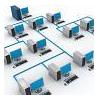 | Ethernet And Wireless Networking Guides Learn how to set up home networking for uses such as a Local Area Network (LAN) for multiplayer gaming or wireless networking for shared internet access. |
Latest Articles on Building a Gaming PC
Solid State Hard Drive Buyer's Guide NEW!
Solid state drives are fairly new on the scene, and here we explain what they are and the advantages they have over a normal hard drive.
World Of Warcraft Computer Buying Guide
World of Warcraft (WoW) is a very popular online role-playing game and many gamers look to build a custom PC specifically to play it. Find out what you need for a great WoW experience here.
Blu Ray Burner Buyer's Guide
The new Blu-ray format can hold huge amounts of data in a single disc and is pushing technology further. If you're looking to buy a Blu-ray drive then read this first.
What Is Computer Liquid Cooling
Liquid cooling is fairly new technology to cool down your PC, especially CPUs. Here we explain how it works, and the pros and cons of using it.
Choosing the Best CPU Cooler
Guide to selecting a decent aftermarket cooling system for your CPU. There are some important things to consider when choosing a good cooler.
External Video Cards Guide
A recently introduced new option in video card technology, especially for laptops, are external graphics cards. This article takes a look at the advantages of using an external card.
The Many Benefits of a Dual Monitor Video Card Setup
Whether it's for work or play, using a dual monitor setup has many different advantages. It's a big time saver and makes running multiple programs more efficient. Learn more about dual monitors here.
NVIDIA SLI and ATI CrossFire
A two-part article explaining the technology of NVIDIA SLI and ATI CrossFire, which both use the principle of combining multiple video cards for superior 3D gaming performance.
Gaming Computers For Sale: Where to Find Great Deals Online
Are you looking to buy a gaming PC or laptop? This article shows you where you can find great deals online.
Computer Overclocking: Getting The Most Out Of Your PC
An introduction to overclocking your computer to increase performance. Don't know what overclocking is exactly? Not sure if you wan't to overclock? Then this is for you.
Latest Product Reviews
Gaming Desktop Computer Builds For 2011 NEW!
Our top three custom gaming builds for the year 2011, you will find a build here to suit every type of budget. There is the budget gaming PC for those on a budget, the mid-range gaming rig for those with a little extra to spend, and the dream gaming machine for the ultimate in gaming.
Best Video Cards Of 2010
Looking to upgrade your video card? We reveal 3 of the best value, best performing video cards for gaming in the year 2010. With one of these beasts in your custom gaming PC you will be ready to tackle any game.
Alienware Review: Should You Buy Alienware Computers?
We share our thoughts on Alienware's range of high performance desktop and gaming laptops. Alienware provide some awesome custom rigs that can easily handle any PC game.
Cheap Computer Speakers
A quick review of the best value gaming speakers that you can buy online. With a quality speaker system as part of your setup, your gaming experience will be improved tenfold!
A Unique Computer Mouse: The Logitech MX Revolution
Takes a look at the most advanced mouse in the world. If you want the very best mouse out there, look no further than the Logitech MX Revolution Cordless Laser Mouse.


