Sunday, March 6, 2011

Creative Ways To Reuse Your Old Computer
10:43 AM

One of the hassles of buying a new computer is dispensing with the old one. Many trash companies can't take them, so the parts need to be hauled to the dump or local recycling center. More often than not, they take up valuable storage space until they're dealt with. Some people choose to reuse the parts in creative ways, however, turning clunky computer towers into a variety of useful items.
Computer Mailbox
One option is to turn that old tower into a mailbox. Of course, the inside needs to be gutted and all the holes should be sealed so it's weatherproof. The drive bank -- where disks and CD-ROMs once went -- should be cut larger, so it's big enough to accommodate most mail and small packages. Install a hinged front door, you can make your own or purchase one at a hardware store, and paint the house number and family name on the side in the font of your choice. Once the mailbox is installed on the curb, anyone delivering the mail is sure to remember the house.

Barbecue Grill
Old metal towers can make perfect small area barbecue pits. After removing the guts, shore up the larger holes with some strips of metal. The removable side panel can be used as a cooking tray or cut apart to make a tight-fitting grill. Make sure to sand down any paint and remove any plastic accessories that are attached to the case. Once the case is in a safe place it can be filled with coals and used to make picnic burgers and skewers.

Start an Herb Garden
Towers that have a removable side wall can be turned into easily transportable herb gardens. Once again, the insides need to be removed, but all plastic and decoration can be left on. Seal the large holes with caulk or other waterproof material and line the inside with thick plastic. Multiple layers of thick garbage bag plastic will work. Turn the tower on its side and fill it with potting soil and your favorite herb seeds.
Trade it in for credit toward another computer
HP has a trade-in program and they will give you a free quote for your old computer online. After sending in your old computer, you have 30 days to buy a new HP or Compaq unit. After you fax in your proof of purchase, you get a check from HP. IBM has a similar trade-in program.
Donate it to a local or national charity
Places like the National Cristina Foundation are well-known for their acceptance of old computers that no one else wants. You can also find computer donation centers in your area.
Use it as a file or print server
This is the option we chose. Simply tuck it away in a small hutch with doors to hide it away and run the proper cables to network this computer with one or more other computers in the room. You can even get a special adapter to view the contents of your "old" computer from -- if you don't want to use the old computer's monitor (to save space). This option enables you to create your own home network, linking one or more computers with a printer and Internet service so you can easily share files, play games, and print documents between machines.
Listen to tunes from it
Your old computer can be used to download and store mp3's and other music files that usually take up a lot of hard drive space on your personal computer. Keep the speakers attached, and you have a "computer jukebox" that can be accessed in your home office that becomes part of your home entertainment system. You can also use it to burn CDs for saving your favorite tunes, or tune into online radio stations to listen to sports programs or your favorite music channels.
Watch TV from it
Simply install a TV tuner card and you can record TV shows onto your old hard drive. If you have (or buy) a newer monitor with TV viewing capabilities, then you have a brand new Digital Video TV/PC. Or purchase a scan converter which changes your computer's VGA monitor signal to a regular TV signal so you can watch TV from your old monitor.
Create a "live" weather station
If you're in need of a new hobby, you could become a weather geek. Simply purchase some software weather programs and sensors, then keep the computer on at all times to track and monitor the current weather conditions. Offer your data to local TV stations or as a complimentary service available to visitors of your web site.
Store digital photos on it
Dedicate your old system to storing, retouching, and printing pictures from your digital camera.
Create a work station in the kitchen or dining room
Place your old computer in a room near the kitchen, and install cooking and recipe programs on it. This makes it easy to to access recipes while you're cooking, as well as a cinch to create and print shopping lists. You could also hook this computer up to the Internet, making it easy for family members to a access their e-mail and browse the Web from this convenient location. To conserve space, purchase a flat screen monitor and hide the computer box in a cabinet.
Designate the living room as the family workstation
Purchase a wireless keyboard and mouse, and use your large TV screen as a computer monitor. Store the hard drive in a bookshelf or behind a piece of furniture.
Turn it into a work station for visitors
Travelers like to check their e-mail and browse the Internet to find interesting things in your area. If you set up your old computer in the guest bedroom, your guests will be able to do a little work, have a little fun, and kill some time should they ever be left in the house alone for awhile (when you're working, for example).
Set it up solely as a data center
Consider setting up your old computer in the garage, basement, or bedroom and using it solely as a place to jot notes, write letters, or update lists. Every computer doesn't need to have Internet and print capabilities. Instead, save your work to a floppy disk to transfer it to your main PC later.
Use it as a "live" web cam or security camera
Buy a web camera and use your old computer to beam live pictures out on the Internet. You could also use it as a security camera (to see inside your house while you're at work, for example).
Turn it into a firewall or router
Your old computer can serve as a firewall or router. All you need is a working motherboard, two network cards, and a floppy drive. No CD-ROM or hard drive are required.
Create a mobile computer
If you're out and about more than you're at home, then you might consider using a 12-to-120 volt inverter to power your old computer in your RV, van, or boat.
Use it as an experimental PC
For the wannabe computer geek, use your old computer as a learning tool to try new things on. You can practice doing things to your old computer that you'd be too scared to try on your new computer -- like reformatting a hard drive, reinstalling an operating system, installing memory or a new hard drive. You might even want to experiment by installing a whole new operating system, like Linux.
Have you recently upgraded to a newer model computer? Wondering what to do with your "old" computer? When we bought a super-powered new Dell computer, the question was what to do with our old HP Pavilion. It still worked fine, and still had quite a bit of space to store programs and run basic tasks, it was just too slow and bogged down for his day-to-day work.
Extensive research revealed the following great ideas for anyone who's wondering what to do with an "older" computer. After all, if it's 3 years old (or older), then you'll barely get more than $50.00 if you choose to sell it at a yard sale or on eBay. So selling it is not an exciting option. There are some other interesting options, however.
How To Transparent Your Desktop Screen
10:07 AM

You can't make your desktop wallpaper transparent, but you can make an image that makes it look like your whole computer screen is transparent and you can see whatever is behind it. This is easier to do if your computer is a laptop, though to get the right effect, you then have to leave the laptop in the same location all the time. It's a better long-term trick if you make this type of background for a desktop computer, and especially effective if one or more objects can be seen next to the computer screen and also extend behind it, such as a cord, a poster on the wall or an item on your desk.

First, you will need these things :
- Digital camera
- Tripod (optional)
- Image-editing software
1. Take a photo of your computer. If your computer is a laptop, take a picture of the laptop with the screen open. The computer should be positioned in a location where you most frequently use it. If you have a tripod, set it up to take both this photo and the one in the step below, without moving the camera in between shots.
2. Remove the computer monitor or close the laptop and take another photo of the exact same location. This photo should show the area behind where the monitor or screen was when you took the first photo. The camera should be in the exact same spot as it was when you took the first photo for best results.
3. Open both photos in your image-editing software.
4. Make a copy of the second photo, the photo that shows what is behind the computer monitor.
5. Select the first photo, the one that shows the computer screen. Name the existing layer "Screen Photo" by editing the default name in the Layer Properties palette. You may have to promote the background to a layer, depending on the software you are using, to rename the layer. Then paste the copy of the second photo in as a new layer. Name the new layer "Behind Screen."
6. Select the Behind Screen layer and lower the layer's opacity to approximately 50 percent. Do this in the Layer palette. You should be able to see the photo with the computer screen through the other layer, but the Behind Screen photo should still be visible as well.
7. Drag the Behind Screen layer so that items that are shown in both photos line up exactly. If you did a good job taking the photos, the two images should line up without the need to resize one of them. If not, scale one of the images or retake the photos, whichever is easier for you.
8. Select the Screen Photo layer. Using the rectangle selection tool, select the area just inside the screen's bevel, so that your marquee goes around the exact edge of the actual computer screen.
9. Select the Behind Screen layer, making sure to keep the selection in place. Set this layer's opacity back to 100 percent. Then select "Copy" from the "Edit" menu.
10. Open a new image and select "Paste." Or you may be able to select "Paste as New Image" from the "Edit" menu. The image you've pasted should be the area behind your computer screen, and nothing else.
11. Save the image as a JPG. Discard all changes made to the other images.
12. Alter your system settings to make the image you saved in step 11 your desktop wallpaper. Now when anyone looks at your computer, it will look as if the screen is transparent.
You may say it's impossible but everything is possible with creativity. Here are detailed instructions on how to do it. Transparent desktop screens mean the desktop of your laptop screen gives an impression of being transparent such that you can see all.
Friday, March 4, 2011
Top 10 Most Powerful Computers in the World
6:41 AM

So here I have compiled some of the most powerful computer in the world. I hope you will like it. A new ADDITION >> China has recentrly taken top spot by China’s Tianhe-1A (Milky Way) to be the fast computer in the world. The Tianhe-1A is located at China’s National Supercomputer Centre in Tianjin with much of its processing power from chips similar to those found in graphics cards. While four of the top 10 super computers are also designed around graphics processors, second placed US XT5 Jaguar is built around the more traditional CPUs, similar to those found in desktop computers.
1. Cray-1

Cray-1 was the world’s fastest machine that was installed at Los Alamos National Laboratory in 1976. Cray-1 boasted a speed of 160 million floating-point operations per second. The first model of the Cray-1 (Cray-1A) weighed 5.5 tons.
2. Cray-2

Launched in 1985, the machine held the title of the world’s fastest supercomputer between 1985-1989. Cray-2 was capable of 1.9 gigaflops peak performance. Cray-2 was predominantly developed for the United States Departments of Defense and Energy. Due to the use of liquid cooling, it was nicknamed `Bubbles’.
3. Connection Machine-5 (CM-5)

Launched in 1991, Connection Machine-5 (CM-5) held the crown for the world’s fastest supercomputer in 1992. The machine intended for artificial intelligence applications and symbolic processing found remarkable success in the field of computational science.
4. Fujitsu Numerical Wind Tunnel

Known as the Numerical Wind Tunnel, the machine was built by Fujitsu and Japan’s National Aerospace Laboratory. The machine was used to simulate wind turbulence on airplanes and in spacecraft as well as to forecast weather.
5. ASCI Red

The fastest computer from June 1997 to June 2000, ASCI Red was collaboration between Intel Corp and Sandia Labs. It was the first computer to break the teraflops barrier, which after the processor upgrade passed 2 teraflops.
6. ASCI White

ASCI White, an IBM system, replaced ASCI-Red as the fastest supercomputer in 2000. ASCI White held the spot for world’s fastest supercomputer for two years from 2000-2002. It was capable of computing 12.3 trillion operations per second.
7. The Earth Simulator

Built by NEC for the Japan Aerospace Exploration Agency, the Japan Atomic Energy Research Institute and the Japan Marina Science and Technology Center, the Earth Simulator (ES) was the fastest supercomputer in the world from 2002 to 2004.
8. Blue Gene/L

Blue Gene/L doubles its processing power to 32000 two-processor nodes. Currently the seventh fastest supercomputer in the world, IBM BlueGene/L held the title of world’s fastest supercomputer for four years from 2004 to 2008. The supercomputer is located at Lawrence Livermore National Laboratory’s. BlueGene/L (BGL) clocked 478.2 trillion floating operations per second. Blue Gene/L, already ranked as the fastest supercomputer on the planet, has been doubled in size, according to researchers at Lawrence Livermore National Laboratory in Livermore, California.
9. IBM Roadrunner

IBM Roadrunner was crowned No. 1 in June 2008 after becoming the first supercomputer to break one petaflop/s. IBM’s Roadrunner managed 1.042 petaflops. The supercomputer is located at the Los Alamos National Laboratory.
10. Jaguar

The world’s fastest supercomputer according to TOP500 supercomputer list of 2009 is Cray XT5, also known as Jaguar. Jaguar bagged the No. 1 spot, beating IBM’s Roadrunner, who held the top crown from 2008 to 2009. It can perform more than 1 quadrillion calculations per second.
Most Powerful and Efficient Antivirus 2011 Must Have
3:22 AM
The benefits of installing a basic security solution on your PC are obvious, but the cost in ... to find the most effective software available and evaluate overall effectiveness. ... A well-balanced antivirus solution is effective, efficient, and easy to use. ... Powerful Protection, Performance & Peace of Mind. What happens when your browser is hijacked by a site? How do you regain control? ... The most recent winner of the PC User anti-virus gong was Eset's NOD32. The only free cloud-based scanner, Panda antivirus software takes all the processing off your PC, giving you a lighter, faster, and more proactive antivirus. The Shield Deluxe 2011 will protect your PC and personal data from theft, ... Powerful anti-spyware technology guards your personal information and privacy against .... Best of all and like most antivirus software today, the new system. 2 Avast 5 Most Powerful And Efficient Antivirus For Your PC F4405ba2Avast Cellphones Usability Upcoming You Can Install This Antivirus In.

ESET NOD32
ESET NOD32is provided by ESET for smart scan, Speed,Security and Usability as it provide information by pop ups new interface and keyboard shortcuts simplify use for visually impaired users. Password protection make it more secure to protect from uninstalled by strangers. Advanced protection status screen informs you of threat detections. It’s detection capability has proven fast.

Avast
You can install this Antivirus in any edition of windows. Avast is available as freeware as well as paid editions both. The current User interface of Avast is not attractive but the manufacturer are making it much better User interface in the Upcoming version.Continuous protection against virsus and spyware. It stops attacks from hijacked websites.

Kaspersky
It is one of the most popular Antivirus because of it’s quality protection, it is used for it’s fast detection for Trojan horses. The advanced anti –virus software with additional layers of firewall and parental controls. Altogether, more than 120 companies are licensing technology from kaspersky. These applications are also secure from file servers, mobile devices, and internet all managed through a centralized administration kit.

Norton 360
Norton is by default installed with Hp laptop’s. Norton also received 2009 product of the year award by AV- Comparatives org. it also provides excellent detection and removal of malware. The program is offering common protection and network mapping. The program Installer includes a toolbar with ask.com.

AVG Antivirus 2011
AVG Antivirus 2011 has come up with fastest surf and search and latest threat information from the AVG community protection Network and AVG protective Cloud Computing Technology. AVG also come up with free edition and paid edition. It Provides Protection ability in web/email protection category. AVG internet security 9.0 scored a 5.0 out of possible 6 in the performance and usability.
Samsung Galaxy Tab Best Choice Ipad Alternative
12:12 AM
 Latest Top ipad alternative and best ipad alternative 2011. South Korea: Samsung is set to launch its Galaxy Tab 8.9 inch at CTIA Wireless Event 2011 by 22nd March, 2011 in Florida. Galaxy Tab 8.9 will be the third entrant into Samsung Galaxy Tab family. When it comes to the battle of Tablet PCs, iPad clearly is one of the top competitors. Ipad’s popularity has been challenged by many alternatives in the market, yet this device from Apple poses no decline in popularity. Apple lovers enjoy many of the goodies from apple straight to their ipad -like the iTunes App Store.
In our post before the iPad competitor listed in many variant also there are many iPad alternative that suit your pocket because they are so cheap, yes the cheapest iPad alternative. But some people want to the ipad alternative in luxury ways, so we posted some of the world’s most expensive computer that suit their lifestyle. Some of them are really good in features also the performs. Now let we see what the heck is samsung galaxy do. Top ipad alternative and best ipad alternative 2011
You May interesting in our related post :
- Most Wanted Best Cheapest Tablet 2011 You Should Know
- Most Wanted Windows Phone 7 Series Differences Today
- Top Best Tablet 2011 (iPad Alternative) Must Have
- Top Best Most Wanted Processor For Your Budget
- Most Wanted Smartphone 2011 By Platform
Facebook page of Samsung Mobile announced that surprises will be introduced during the "Unpacked" event that the company will hold on the 22nd of March. An image of a tablet along with some text which asked about the reader's Tab life was included in the announcement. The image was also labeled '78910'. Here 7 obviously stand for the 7-inch Galaxy Tab, while 10 stands for Galaxy Tab 10.1 that was recently unveiled at the Mobile World Congress 2011 in Barcelona a week ago.2011 landing page has a tablet that carries the same background as the one in Galaxy Tab 10.1 tablet press images running Android 3.0 Honeycomb, so the possibility is there that Samsung will introduce an 8.9-inch Galaxy Tab with Android 3.0 Honeycomb running on it. Samsung has used dual-core Nvidia Tegra 2 SoC processor for 10.1-inch Galaxy Tab, while the 7-inch Galaxy Tab uses 1GHz Hummingbird CPU. So the Galaxy Tab 8.9 may use the new Exyonos family of Mobile processors.

If a new Samsung Galaxy tab will be unveiled, it might be the rival of the Optimus Pad of LG which was introduced by the company during the Mobile World Congress in Barcelona. The reported Samsung Galaxy tab will have the same screen size as the Optimus Pad of LG. Pricing of the product is yet to be known.
 |  |  |
| Samsung Galaxy Tab™ (AT&T) | Samsung Galaxy Tab™ (Sprint) | Samsung Galaxy Tab™ (T-Mobile) |
|---|---|---|
| | | |
| AT&T Quad-Band GSM (850/900/1800/1900MHz); Tri-band UMTS (850/1900/2100MHz) & Wi-Fi Android 2.2 (Froyo) Tablet -Portrait Primary | Sprint CDMA 1900/800, EVDO Rev A & Wi-Fi Android 2.2 (Froyo) Tablet -Portrait Primary | T-Mobile GSM: 850, 900, 1800, 1900; UMTS : Band IV(1700), I(2100) & Wi-Fi Android 2.2 (Froyo) Tablet -Portrait Primary |
 |  |
| Samsung Galaxy Tab™ (U.S. Cellular) | Samsung Galaxy Tab™ (Verizon) |
|---|---|
| | |
| U.S. Cellular CDMA 800/1900 & Wi-Fi Android 2.2 (Froyo) Tablet -Portrait Primary | Verizon CDMA 800/1900 Android 2.2 (Froyo) Tablet - Portrait Primary |
Recently, Samsung introduced its Tablet PC that is deemed by many to be the best ipad alternative. Here are the highlights of their comparisons.
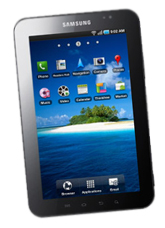
iPad alternative
Form Factor and Size
With a dimension of (190.09) x (120.45) x (11.98) mm, this ipad alternative presents an advantage when it comes to portability as compared to the (242.8) x (189.7) x (13.4) mm of the ipad. The Galaxy Tab’s screen provides more personal viewing experience with its 7-inch screen. The 9-inch screen of the iPad on the other hand, can accommodate more than one viewer. The tablet PC from Samsung weighs 380 grams – pretty lighter than the 730 grams of the ipad. Top ipad alternative and best ipad alternative 2011

OS and Processor
The Samsung Galaxy Tab runs on Android 2.2 Froyo Operating System – perfect for Android fans. On the other hand, the ipad runs on iOS 4 that is particularly made for this device. Both these 2 tablet PCs are equipped with 1.0 Ghz processor though.
Battery Life
Top ipad alternative and best ipad alternative 2011. The iPad outlasts the Galaxy Tab when it comes to the battery life. You’ll have enough of the 10hr battery life (active mode) of the ipad as compared to the 7hr from Samsung Galaxy Tab.
Samsung Galaxy Tab’s Edge
One of the Galaxy Tab’s features that makes it a fine choice over the ipad are its the built-in cameras. The Galaxy Tab comes with rear and front cameras. You can use the rear camera for more high-resolution still image and enhanched video capturing. The front camera on the other hand, is perfect for video conferencing. The ipad’s lack of cameras disappoints many users, yes it suck.
This ipad alternative also works as a mobile phone. It comes with a SIM card slot for its 3G connection as well as SMS and voice call capabilities.There are major fact on ipad, despite having a SIM card slot, but only for the purpose of 3G its connection – no support for SMS and voice calls though.
Related Post :
Tuesday, March 1, 2011
Amazing Futuristic Sony Concept Computer Bracelet 2011
3:25 AM
 Collection of laptop and computer designs of the future. All are concept ideas based on great imaginative skills. Post includes gadgets and gizmos. No keyboard, no mouse and a very low energy usage - these are the features of a futuristic PC concept dubbed the "New Soul." Here is a look at Amazing Futuristic Sony Concept Computer Bracelet 2011 that we hope get realized soon.
Developed to be worn as a bracelet, this computer concept is constructed out of a flexible OLED touchscreen. Designer Hiromi Kiriki taps Sony for this spectacular Nextep wrist computer that does just about anything a full-sized computers can do.


InOne all-in-one computer is one sophisticated system built with the fusion of many technologies like tablet, all-in-one desktop system, full-fledged PC, This 13mm thick tablet-pc was developed in collaboration with Freescale Futuristic computer? Concept future: Google Tablet · Innovative concept


Sony futuristic concept of computers developed to be worn as a bracelet, this computer concept is constructed out of a flexible organic light emitting diode (OLED) touchscreen! Our present need for internet connectivity is so profound that secondary devices like the Nextep Computer are bound to happen. Developed to be worn as a bracelet, this computer concept is constructed out of a flexible OLED touchscreen. Earmarked for the year 2020, features like a holographic projector (for screen), pull-out extra keyboard panels and social networking compatibility, make the concept plausible. Ten years from now is not too far away, so how many of you think we’d be buying such gadgets? nextep1 550x620 Sony Unveils Futuristic Concept Computer Bracelet.
Monday, February 28, 2011
Top Best Most Wanted Processor For Your Budget
8:07 AM

If you don't have the time to research the benchmarks, fear not. Tom's Hardware has come to your aid with a simple list of the best gaming CPUs offered at each and every pricepoint. This list is for gamers who want to get the most for their money. If you don't play games, then the CPUs on this list may not be suitable for your particular needs.
The criteria to get on this list are strictly price/performance. We acknowledge that there are other factors that come into play, such as platform price or CPU overclockability, but we're not going to complicate things by factoring in motherboard costs. We may add honorable mentions for outstanding products in the future, though. For now, our recommendations are based on stock clock speeds and performance at that price.
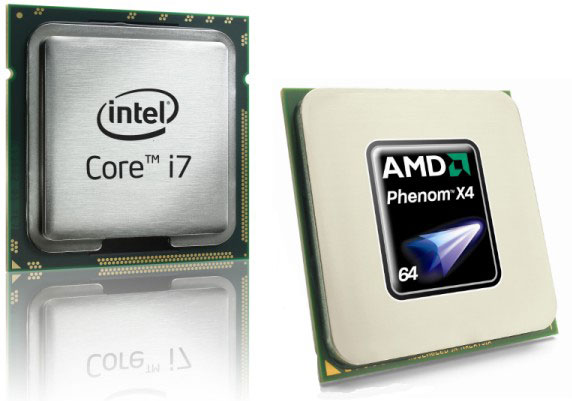
Cost and availability change on a daily basis. We can't offer up-to-the-minute accurate pricing information in the text, but we can list some good chips that you probably won't regret buying at the price ranges we suggest (and our PriceGrabber-based engine will help track down some of the best prices for you).
The list is based on some of the best US prices from online retailers. In other countries or at retail stores, your mileage will most certainly vary. Of course, these are retail CPU prices. We do not list used or OEM CPUs available at retail.
Best Gaming CPU: Under $110
Best Gaming CPU for ~$80:
Athlon II X3 450

The Athlon II X3 450 is the second-fastest triple-core Athlon II available, and it sports an ideal combination of three execution cores, a high clock rate, a low price, and respectable overclocking headroom. Despite the deceptively low buy-in, this processor delivers some serious gaming capability.
AMD's own Athlon II X4 635 will outperform the X3 in modern CPU-heavy game titles. But at a price point $20 cheaper, the Athlon II X3 450 remains a good low-budget option.
Best Gaming CPU for $100:
Athlon II X4 635

The Athlon II X4 lineup continues to evolve gracefully as its clock speed steadily increases over time. We've also seen the chip lineup's price drop. And, games are starting to take better advantage of multiple CPU cores. Moreover, as a general-purpose CPU (during the hours you don't spend gaming), the quad-core solution is going to be superior to dual- and triple-core competitors.
Now found as low as $100, this particular model is well within the grasp of budget-oriented gamers, and it represents a solid starting point for any value-based system, gaming or otherwise.
Honorable Mention:
Pentium Dual-Core E6800

The 3.33 GHz Pentium E6800 replaced the 3.2 GHz Pentium E6700 as the fastest budget dual-core available for the LGA 775 interface.
While the E6800 doesn't have any dormant cores that could be unlocked (like the Phenom II X2 555), it has a solid reputation for overclocking well, and it makes a good upgrade option for tweakers with older LGA 775-based systems who are not yet ready to put money into a new motherboard and CPU.
For folks considering a full upgrade, the Socket AM3 and LGA 1155 platforms are probably better choices. Of course, in order to get onboard with LGA 1155 at this price point, you'll have to go with the least expensive Core i3 available. That part isn't available yet, and when it is, it'll likely cost somewhere around $130. For folks looking to spend $100 or less on their processor, Socket AM3 is the only low-cost option we'd recommend for now.
Best Gaming CPU: $110-$200
Best Gaming CPU for $110-$130: None
Our upcoming roundup of twelve sub-$200 processors shows that there is currently little reason to go beyond an Athlon II X4 in this price range. But it also lets us know that Intel's Sandy Bridge-based Core i3-2300 and -2320 have the potential to bring impressive gaming performance down to the $130 price point. Previously, we had to pay $200 or more for equivalent speed.
For now the Phenom II X4 955 keeps its recommendation at $140. However, the Core i3-2300 will probably steal that nod away in the next month, so long as it becomes available for purchase.
Best Gaming CPU for $140:
Phenom II X4 955 Black Edition

A former flagship of AMD's Phenom II X4 family, the Phenom II X4 955 Black Edition was relegated to fourth-place status by the new Phenom II X4 975 BE model.
Despite its position in the pecking order, Phenom II X4 955 offers the best gaming value. It is a true quad-core processor with a sizable 6 MB L3 cache. But even more impressive at this price is its unlocked multiplier. From our experience, the great majority of Phenom II X4 955 processors can run just as fast as the Phenom II X4 975 with a simple BIOS multiplier change from 16x to 18x. That's an easy way to put this $140 processor on par with a stock ~$210 Core i5-760 when it comes to gaming.
The real competition for the Phenom II X4 955 BE is Intel's Sandy Bridge-based Core i3 lineup, arriving at retail as early as March. For now, we'll allow the 955 to keep its recommendation. But we're going to revisit this when the Core i3-2300 becomes available.
Best Gaming CPU for $195:
Core i5-2400

Sandy Bridge is here, and Intel's new microarchitechture is fast. Initial test data suggests that the new Core i5-2400 can stand toe to toe with Core i7-900-series processors when it comes to game performance. We're not talking about the entry-level models, either. This affordable processor has the chops to compete with Intel's thousand-dollar Extreme Edition chips when it comes to enabling the highest frames per second.
As great as the Core i5-700-series chips are, the new Core i5-2000 processors hit the afterburners and fly right by. Plus, the LGA 1156 interface is essentially dead, so it'd seem silly to sink any money into it at this point.
Best Gaming CPU: $200 And Up
Best Gaming CPU for $210: None
Honorable Mention:
Core i5-760

The Core i5-760 is displaced by Intel's new Core-i5-2500K (and its accompanying interface). But for folks who already own a Core i3 on an LGA 1156 platform, the Core i5-760 continues to offer tremendous value. Just like the Core i5-750, Intel's -760 delivers serious gaming performance at its default frequency. What's more, these CPUs are monsters when overclocked, and even challenge more expensive Core i7 models.
Best Gaming CPU for $225:
Core i5-2500K.

From a raw processing standpoint the Core i5-2500K offers very little over the cheaper Core i5-2400. It does hold three distinctions, however: it's clocked a few hundred MHz higher, it comes with Intel HD 3000 graphics, and it has an unlocked CPU multiplier.
The 200 MHz (300 MHz with Turbo Boost) advantage is almost insignificant, and gamers with discrete graphics cards will care little about the integrated graphics engine. But the unlocked CPU multiplier is a must for overclockers using any Sandy Bridge-based CPU. The Core i5-2500K is the obvious choice for gamers looking for the best combination of brute gaming force and tweakability.
Past the Point of Reason:
CPUs priced over $225 offer rapidly diminishing returns when it comes to game performance. As such, we have a hard time recommending anything more expensive than the Core i5-2500K, especially since this multiplier-unlocked processor can be overclocked to great effect if more performance is desired. Even at stock clocks, it meets or beats the $1000 Core i7-990X Extreme Edition when it comes to gaming.
Is there any reason for a gamer to go with a Core i7-900-series CPU/X58 motherboard combo, now that Sandy bridge has arrived? While the new Core i7-2000 series is faster than the Core i7-900-series from a processing standpoint, the platform can be a factor. The new LGA 1155 processors have an inherent limit of 16 PCIe lanes for graphics use (the same limit that LGA 1156 processors suffered), so if a gamer plans to use three or more graphics cards in CrossFire or SLI, we have to ask if Bloomfield/Gulftown and X58 offer the potential for more performance?
No! In theory, the current ultimate gaming platform (until Intel releases the LGA 2011 interface in the second half of this year) would be a P67 chipset paired with the NF200 bridge. Our experience with the LGA 1156 chipset paired with the NF200 bridge indicates that a P67/NF200 combo would allow us to use the fastest Sandy Bridge CPUs available in conjunction with three or four graphics cards without noticable graphics bandwidth trade-offs. In fact, we already have a story in the works that should prove this definitively.
To summarize, while we recommend against purchasing any gaming CPU that retails for more than $225 from a value point of view (sink that money into graphics and the motherboard instead), there are those of you who have no trouble throwing down serious money on the best of the best, and who require the fastest possible performance available. If this describes your processing goals, the following CPU is for you:
Best Gaming CPU for $330: (or for any price)
Core i7-2600K

Take the Core i5-2500, add 2 MB of L3 cache, Hyper-Threading, and a 100 MHz bump across the board. What do you have? The Core i7-2600K.
It doesn't sound like much of an improvement, and frankly it will make remarkably little difference when it comes to gaming. The $100 spread between the Core i5-2500K and Core i7-2600K is only recommended if you want to brag, because you're probably not going to notice any appreciable frame rate difference. The Core i7's strength is only really exploited in heavily-threaded workstation applications, rather than games.
But no list is complete without the best-of-the-best, and that's the Core i7-2600K. For $330 you can have a CPU that probably games faster than the $1050 hexa-core Core i7-990X Extreme.
Gaming CPU Hierarchy Chart
What about this other CPU that's not on the list? How do I know if it's a good deal or not?
 This will happen. In fact, it's guaranteed to happen because availability and prices change quickly. So how do you know if that CPU you have your eye on is a good buy in its price range?
Here is a resource to help you judge if a CPU is a reasonable value or not: the gaming CPU hierarchy chart, which groups CPUs with similar overall gaming performance levels into tiers. The top tier contains the highest-performing gaming CPUs available and gaming performance decreases as you go down the tiers from there.
However, a word of caution: this hierarchy is based on the average performance each CPU achieved in our charts test suite using only four game titles: Crysis, Unreal Tournament 3, World in Conflict, and Supreme Commander. While we feel this represents an acceptable cross-section of typical gaming scenarios, a specific game title will likely perform differently. Some games, for example, will be severely graphics subsystem-limited, while others may react positively to more CPU cores, larger amounts of CPU cache, or even a specific architecture. We also did not have access to every CPU on the market, so some of the CPU performance estimates are based on the numbers similar architectures deliver. Indeed, this hierarchy chart is useful as a general guideline, but certainly not as a gospel one-size-fits-all perfect CPU comparison resource.
You can use this hierarchy to compare the pricing between two processors, to see which one is a better deal, and also to determine if an upgrade is worthwhile. I don't recommend upgrading your CPU unless the potential replacement is at least three tiers higher. Otherwise, the upgrade is somewhat parallel and you may not notice a worthwhile difference in game performance.
Summary
There you have it folks: the best gaming CPUs for the money this month. Now all that's left to do is to find and purchase them. Also remember that the stores don't follow this list. Things will change over the course of the month and you'll probably have to adapt your buying strategy to deal with fluctuating prices. Good luck!
Sunday, February 27, 2011
Top Best Most Expensive Desktop Computer
6:51 AM

Then again, if you can fork over the ¥80,000,000 for the platinum one, maybe you can score the gold one for a cool ¥60,000,000 ($561,540).
But really, diamond encrusted constellation and platinum cases? A computer for that money should probably come with a little something extra too. Like a steering wheel. . .

First of all, the title cheated, it's a server, but designed in a desktop layout. Our IT department recently received a new Dekstop server-Dell Poweredge 2900, for a department in the faculty. Since it is "the most expensive" desktop computer (It cost over $10K) I have encountered so far, therefore I better take a few pictures. I am so far quite impressed by Dell's Laptop quality but never knew they can build a high quality server box with such an efficient design. The Power Edge 2900 is one of the newest and most powerful desktop servers in the market today. A lockable panel in the front prevents access to the hard drives and a small on-box LCD panel with color variations provide quick summary of the server status. The Dell Poweredge 2900 has a similar height as a normal desktop and 1/3 longer than a regular desktop.

The desktop server provide amazingly flexible storage options: you can plug in up to 8 SAS or SATA hard drives in hot-swap carriers. An optional flex-bay can be inserted in the lower of the two spare 5.25in bays above, with its own backplane and interface.


Unfortunately, it is "too noisy" for anyone to hide it under the desk. Therefore, it still needs to go into a server room. But it certainly got the "Ferrari" look.

On a lark, I went out to the Apple Store and priced the most expensive G5 Dekstop on the planet. So what will $23,857.00 get you nowadays? Everything, and the kitchen sink from Apple buys you a 2.5Ghz Quad-core PowerPC G5 with 16GB of RAM, 1 TB of storage, Quadro FX 4500 graphics card with 512MB of memory, 16X dual-layer Superdrive, and two 30" Apple Cinema HD displays. Important to note: shipping on your new car Dekstop is free. Full specs after the jump.


